You may have heard the buzz – Google is rolling out a new analytics package (version 4) and the existing analytics is being retired. This means that some changes will need to be made if you wish to continue collecting data from your site in your Google Analytics account. Analytic data is very important to us so we’ve been rolling out and testing the new “GA4” all year and getting more comfortable with it every day.
The new package is fundamentally different than the past version and much of the familiar interface has changed. New terminology, reports and features can make 1:1 comparisons tough, but at the end of the day it still tracks the important things and offers some exciting opportunities for more robust custom reporting.
The amount of change required depends on several factors, the most significant of which is the age of your current tracking code. If you are actively tracking custom events or conversions, those will have to be re-thought out as well.
There are some good tutorials out there, however we can assist with transitions if code is not your thing. We can also take the opportunity to create some custom events to track activities on the site you really care about. If analytics are important to you, we can build dashboards to keep track of the areas you are spending on to promote.
The most important part of this message is IF you’re transitioning from the old to the new Google Analytics 4, it needs to be done by the end of June this year. We just wanted to make sure that you are aware and we are here to help if you need us.
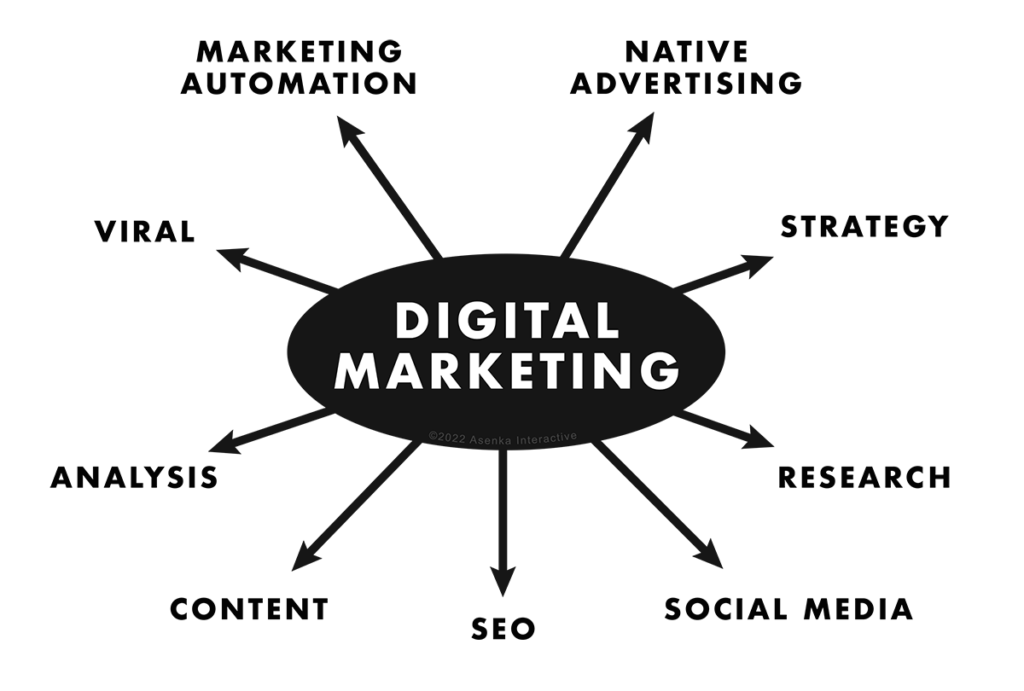
A graph showing various elements pertaining to Digital Marketing: Market Automation, Native Advertising, Strategy, Research, Social Media, SEO, Content, Analysis, and Virality
Spring-forward with some marketing success solutions for 2021
Some helpful tips to help your website not just gain attraction, but keep it.
In 2021, let there be no mistake: Google’s search algorithm is getting smarter. With every year, comes a new way for Google to figure out what websites are deemed to be on the prestigious first page. With the digital eco-system ever evolving, here are 7 tips for your Spring of 2021 to consider to make sure you are ahead of the curve and creating the best marketing strategy for your website and brand.
Strategy:
Doing research into your own industry and your competition will always give you the upper-hand. What is the competition looking like? Why are people engaged in a specific product and compare why your product is better. Marketing just isn’t about clicks, but it’s about understanding where your prospective customers are online and how to get their eye on your website. Once you have that idea in mind, it’s time for you to look at other questions, such as “Is our branding resonating?” “Would the demographic that wants my product engage on my website?” These are are all valid questions and all things that can be fixed. The more research you put in, the more resonating you have to effectively market your brand.
Keyword Research:
Now you know your niche, but the real question may be, how are people searching for what you have to offer? Some people may be searching for resources near them. Others may not be sure of what exact product they’re looking for, but are trying to find out what product is reviewed as the best. Others might be asking a “why” or “how” question in your industry. All of these search results, can benefit you by creating proper keywords for your website. Understanding this, specifically, is a make or break for most branding campaigns. These specific keywords will give you a way to differentiate your brand/organization from the competition. If you want to take a test-drive and see how this plays a huge role in efforts to attract prospective consumers & clients, feel free to try Neil Patels, Ubersuggest. It’s a great first step to understanding the importance of key-search.
Better Content, Better Rankings:
Your company has a solution. A customer is looking for an answer. If you are putting out content that provides practical value to prospective customers, you are doing three things in this very moment: You are engaging someone who may be a future customer, you are giving them free information that truly is helping them and you are giving google a chance to see how long that person stays on your site. The more creative and practical the content the more engaging (images, videos, blog posts with SEO in mind), the less bounce rate your website will have. This tells Google that your website has no business being on page 8. If writing isn’t your thing, you can always work with a professional copywriter.
Social Platforms:
Social media is the first thing people think of as a way to boost their signal and get their message and their brand across to others, as effective as possible. While platforms are definitely a cornerstone for digital marketing, if you are new, try one out one at a time. Think of each platform as a means to connect a client to your services, for a specific demographic. If you’re able to see which social media platforms work the best for you, remember to think of them as “parent platforms”. Yes, we’re talking the Facebook and Instagrams of the world. However if your clients are going somewhere else to find what you are looking for, don’t let that stop you. For instance, after you do research and find that most people are buzzing about your industry on LinkedIn, then by all means, get on there and start engaging. But as a word of caution, always try to explore different platforms independently to get a better grasp at which platforms are working for you and which ones are merely, confetti. If you find out that you’re not getting any views or likes on Pinterest, it may just be because your customers are for the most part, elsewhere. Research your industry on each platform and you’ll come out with a better understanding as to where your viewership lays.
User functionality & Speed:
A fast website sounds like a no-brainer, but let’s take a deeper dive. If a user searches and sees your website come up, reads the description in google and clicks on it, but spends more than 8 seconds waiting for your site to load properly, you’ve already lost that user. There could be several reasons. Maybe your site is beautiful on desktop, but you haven’t been making your website mobile-friendly, a priority. Maybe your on a slow server with large images o just need a re-design. This also includes readability, anywhere within your site. If a person can scroll around and find the content they are looking for quicker, and can read it without it looking noisy, you’ll be able to keep people on your website.
Our mentality is customer first, Google second:
Always create a website with you customers in mind first, but with Google as an onlooker. This means that you are creating content with the purpose of helping prospective customers as well as ranking well on search engines. Have you followed simple SEO rules? Does your site have strong backlinks? Are you relevant to the terms people are searching? Just use google search to see how you are doing. Pretend you are a great prospect and search what they would. See how you rank to get a good idea of your strengths and weaknesses in your digital landscape. Learn the best SEO practices and keep in mind that the fundamentals aren’t overtly changing, despite the massive push for digital in the last year.
Keeping these tips in mind will definitely strengthen your digital marketing efforts for 2021. If you need extra help on developing your site or traffic growth & measurement, please feel free to set up a free strategy call with us anytime.
We’re always excited to hear what you are planning or to help you plan it!
Data Privacy Day is January 28th and let’s be honest, this year has been an intense year for talks around privacy and security.
Everything from consumers finding out Facebook was (and still is) tracking their phones precise location to one of the highest years on record for security breaches, fraud, to the most active year in ransomware schemes and data dumps, we find ourselves in a balancing act of how to be transparent; in some respects, while still working hard on privacy & data procedures. Why should employers concern their company, brands, and domains to think about operational security? The simple answer is money.
Operational security (OPSEC), also known as procedural security, is a risk management process that encourages managers to view operations from the perspective of an adversary in order to protect sensitive information from falling into the wrong hands. Along with customer data, financial information, and business data, a hacker can wield this data, such as many cyber ransom attacks have just in the past years.
If you’re telling yourself, “I am just a small business. They wouldn’t go after me.” you may have to change the way you think about security in this expansive age of the digital era. The loss of any information from your company website can cost you, in time, reputation, and money.
That being said, January 28th is International Data Privacy Day: A day to raise awareness for the importance of privacy and data protection online. What better time to brush up on how to make sure that you and your team are ahead of the curve by taking simple, yet important steps.
Engage your clients and consumers with the idea of transparency:
Most consumer-trust level are low overall, but vary from industry. Being transparent on what data is necessary for your company to help a client thrive, and what isn’t, is a great way to build consumer trust. Customers also like to know what you are doing, and not doing, with the data you collect.
Company Awareness:
Companies that develop and execute a clear, cohesive strategy with employees about how they will deal with private internal processes, is important, not just for the client, but also for prospective ones. The handling of a clients data and the efficacy of said data shows that you are putting them first, by valuing and storing their data through a secure means. Raising awareness about the security protocols is one side of the coin. Always remember: The more likely you are to enforce the protocols, the less likely you will be at risk.
Identify possible threats:
For any information that you deem to be sensitive, identify what possible threats could be possible. That means treating outside threats, such as exploits, the same as insider threats. (We know you trust your team. You’ve hired them, but remind yourself: cost, reputation, time. If a disgruntled employee shares company data or isn’t being mindful and implementing correct practices set in place by traveling to their favorite free-wifi coffee place in order to get some remote work done, (You can see how this can become a problem.) an insider could be lax with their passwords, storing them over unsecured network locations, guaranteeing attackers to have a go at them.
Seek appraisals on the risks associated with each vulnerability or exploit:
The likelihood of the attack happening, the possible damage that could be expected, and the amount of work and time one would need to recover, are all aspects to be evaluated.
Educate & Update:
Educate your clients as well as your team on possible new threats regarding phishing, ransomware, web exploits, and app updates.
While cybersecurity is a vast ocean with many elements to concern yourself with, here at Asenka, we are laser focused on WordPress website security. We realize this is only a small part of your overarching plan, it’s still an important area to have locked down. We have two levels of services to help you secure your WordPress sites, one which focuses on locking the site down from common attacks (called “hardening”) and the other with focuses on ongoing monitoring and security. We can walk you through what both of those look like and see what best fits your needs, if interested. Please contact us with any questions or concerns you might have.
As the world is scrambling to understand how to be safe and what life will look like in the short and long term, business are scrambling to stay afloat amidst daily changes to rules and customer behavior. So how does one effectively market in this new climate? The reality is, we don’t really know. These times of crisis drive new ideas and new solutions, some of which will fail and others that will open new industries.
Let’s explore some ways to continue to reach out to your customers, provide new services, and few new clients or even new markets. For now we’ll focus on using the same tools we have now to connect with your market in the “new normal”.
Digital
Email: If your inbox is anything like mine, it’s flooded right now with messages about COVID-19 from lists that I haven’t heard from in years. Most of these emails are full of information that doesn’t effect me at all, but one company took the approach of giving some very good practical tips of staying entertained and engaged while stuck at home with the family. I read every word. This business was not in the entertainment space at all which made it all the more “real”. Some thoughts to consider when doing an email blast in the next few weeks:
Keep it short
We are all in this together, so write from that perspective
Give helpful info, not too promotional, unless what you sell is particularly useful right now
Ads: People are searching for things they probably never have before and any residual contingent of the online shopping-timid are finally taking the plunge. Homes are crowded, kids are struggling with technology, many are recently jobless. Can your products or services be a help, if so, you might consider running some ads for quick visibility. TIP: Don’t use coronavirus or COVID-19 in your ad text or it likely won’t show on Google.
Social: So many meetings are moving to Facebook live or Zoom or whatever. So many groups are forming for online discussions. Personally, I’ve found that these online meetings have taken existing business relations a little deeper. There’s something about “being” in another person’s house that takes a relationship to a slightly different place. These are generally easy to use well worth jumping into for individual client meetings, or larger events. Make it easy for people to reach out and request or even start a meeting.
Video: Quick video clips keep things real and offer an opportunity share your environment with your market. Sharing on social or on a website, or even short ones via email or an email campaign are a great way to stay top of mind. As with other things, keep it short, helpful, relevant, and not too sales-y unless you have a great idea or product. Home grown videos are OK for some uses, but you may want to go professional depending on how they’ll be distributed.
Webinars: So many meetings are moving to a video chat model, but consider a webinar to schedule a conference or if your audience is large. It’s a great format and in some cases, you can re-purpose the content for future meetings, paid or unpaid.
Website: Keep things updated here, any major scheduling changes or differences in the way you’ll be doing business should be front and center. If you aren’t a regular blogger, this could be a good time to get started.
Offline
Just because people aren’t out and about as much doesn’t mean there is not opportunity. People are still outside, walking and exercising in open areas. People are still food shopping and going out for other necessities. While I don’t think this is the time to invest in billboard ads, maybe something less common like skywriting or those banners you always see at the beach could gather lots of eyeballs.
Postcards: People are still getting mail, and with the increase in digital communication, the good ‘ol mailbox might be a great way to get a specific message out, especially to a small local area if that’s your market. If you are really slow, you could even go house to house, (mailbox hangers) but check the legality on that in your area and obviously make sure you are practicing any applicable safety measures like gloves, distancing etc.
Flyers: If you are a local retail company that can stay open, it’s time to team up with others in the same boat. Co-promote with flyers in each other’s businesses, maybe the larger grocers or pharmacies would be willing to keep some of your flyers in their stores as well. Buy a display rack for your store and invite other local business to provide you with flyers to display. Reciprocity is a powerful thing and likely they’ll reciprocate and do the same.
Signs: Grab some lawn signs that say you’re still open, or that you are offering curbside delivery. Let people know what you have available for them. Maybe even look into some neon window signs (is that even a thing anymore?) Light can be powerful and grab attention. Decorate the outside of your store with holiday lights and shine them bright.
Calls: Spend the slow time calling clients or regular customers. They are likely feeling disconnected and a call just to see how they are doing and how you can help could be just what they needed. It may not bring in revenue that moment, but the relationship strengthened will be worth much more in the long term.
Have fun. That doesn’t mean be disrespectful or take the situation lightly. But with a heavy cast over much of people’s lives, a little levity helps remind people we are all still human and that there is another side to this. We just can’t see it clearly yet.
If your business is struggling and you want to talk about how any of these ideas might apply to you, we are available for a free, 30 minute brainstorming session. There’s no commitment but if our ideas and experience can help you through this time, we’d love to help.
Google Ads is a paid platform for serving up ads primarily on search result pages but also on other sites and videos. This can give you exposure to the plethora of users that search Google every day. Google makes it very simple to create ads by using keywords to define who you want to show your ads to. The hope is that you’ll get tons of new business when you start running these ads, but that is not always the case. In fact, unless you have some experience in setting this up, it’s likely that Google will be the only one getting the new revenue… yours.
If you are not familiar with the way these search ads work, let’s take a moment to cover the basics. You pick the keywords that you want your ads to show for. You write the ad text. You set the budget of how much you’ll spend each day. You set the geography and some other details of when and where you want your ad to show. Google will show your ads when related keywords are searched. When your ad is clicked, the user goes to your site and you pay Google. How much a click costs depends on how many other companies want to be shown for those same keywords. The more competition, the more it costs. Now we could write a blog post of each of those steps, but that’s the basics of how it all works.
This is all fine and good on the surface, but when you peel back the onion one layer you see that much of the traffic to your website is not looking for what you are selling. Let me explain why, and then we’ll get into a solution. The keywords you type in Google when you set up a campaign will show your ad to anyone searching for those words OR any closely related words. Google does this to make sure they capture all the possible related traffic. This means when you select the keywords plumbing company that your ads will show for someone searching plumbing company near me, plumbing company jobs, plumbing company supplies, even drain cleaning service,free plumber service coupons or worst plumbing company could qualify as a close variant. Ouch. Obviously paying for clicks on these search phrases would NOT be recommended.
4 Steps to Good Traffic
All is not lost though. There’s a solid 4 step process to putting together a campaign that is both targeted to good traffic, and also competing on less general (more specific) terms whose clicks are generally less expensive.
Step 1 – Group your keywords
This is good practice for aligning the right message with the right terms. When someone is searching for hairdresser for women, you’d likely want them to see different key points than hairstylist for men, even though your business may service both. Ideally, the page the ad directs them too is also unique content, but that can come later. Theoretically, good messaging will help to deter users who are looking for something else from clicking on your ad. However, in our experience, we believe that very few users actually read the ads. Which leads us to the next point.
Step 2- Use Broad Modifiers
This is a tricky part but makes the biggest difference. As we saw above, broad match keywords will trigger your ad for too wide a range of terms. A Broad Modifier is a way to tell Google to require that every word in this phrase must be present. You simply add a + sign before each word that needs to be required. For instance +women’s + hats + scarves will show ads for women’s hats and scarves but not women’s clothing, which would have shown as a broad search term. You can be even more specific requiring certain phrases or even an exact match (which isn’t really exact, but close). Google has more information on this here.
Step 3 – Monitor Actual Search Terms
Google ads will show you the exact terms that people typed in that triggered your ads and then clicked on them. This is the best way to determine how clean your campaign is setup. When you look at this list, you should see queries that you think are reasonable for what you are selling. If you don’t, you’ll need to go back and clean up either your keywords or add something called negative keywords to help clean up the traffic you are paying for.
Step 4 – Negative Keywords
So if you like most of the traffic coming through from your broad modified keywords, but still a few a leaking past that you don’t like, you can add negative keywords which tell Google, if this word is present, DON’T show this ad. It’s a powerful concept when paired with narrow keyword set. Say for instance the terms all looked good, personal injury attorney, lawyer for injury, on the job injury lawsuit, but every now and then you also had clicks to your site from terms like personal injury lawyer jobs, or personal injury law career. This is a perfect place to add negative keywords for job, jobs and career, careers. In no cases would you want to show ads for those searches so you can keep your other settings as is and just cut out the job seekers.
When you do this well, you should see that while the overall amount of clicks you are getting may have dropped, the conversions for the people you are paying for should go up because they are exactly what you are looking for. The other thing you might see is that your cost per click has dropped because the very broad, highly competitive terms that everyone is bidding for are no longer on your radar. The searches you are paying for are more specific and likely less competitive. The real goal regardless of traffic or cost per click is to get your cost-per-conversion down. This factors in all the fall off in the process and lets you see, on average, how much you are paying before one person completes a desired action, like filling out a form.
Keep these tips in mind as you are managing your campaign. This is not a promise of success for the campaign, there are so many factors to deal with. It is however, a way to make sure that in the process, you don’t lose your shirt!
Facebook’s popularity over the years has created a massive network of people from all over the world. The feature allowing businesses to create an official business profile, quickly presents ‘an in’ to the massive network of Facebook users (also known as local everyday consumers) simply through likes.
How Facebook Likes Work:
Pictured in the diagram below is the life of a post that is traveling through the network of likes. In this example, the initial post reaches your company’s 4 followers; 3 of these followers liked your post. When somebody likes a post it automatically appears on all of their friends’ timelines for them to see. In addition to these 3 followers, now in combination the post reached 9 additional people (their followers) and of the 9, 4 people liked it. This cycle can continue on and on giving your post lots of attention. The most challenging aspect is having to generate content that people not only want to like but also want to follow while promoting your company.
The 5 Ways to Get Facebook Likes:
1. Be Active: Frequently posting on your page keeps followers intrigued and involved.
Tip 1: Set a schedule for posting & stick to it
Tip 2: Give followers content that they’ll want to follow; write about subjects that pertain to their business
2. Announce: Spread the word about all of the awesome content you’ve been posting to people you already have a relationship or connection with.
Tip 1: Encourage your existing clients, employees and associates to connect on Facebook
Tip 2: Hang a sign or flier somewhere visible (in your office, near reception, break room, etc) with the business’ Facebook information
3. Allied Communication Channels (meaning, unite forms of digital outreach): Once someone stumbles upon your page because they see that a friend of a friend follows your company or liked a post, the multiple Allied communication channels allow potential clients, with the click of the button, connect to company information, website, reviews, services, direct contact information, and more.
Tip 1: Connect your phone number, email, location, etc. so that clients can easily inquire
Tip 2: Connect your website, Instagram, Twitter, LinkedIn, reviews, etc. so that clients can learn more about your company
4. Pay Attention: Create your network by following different pages and people with your ideal clientele’s interests in mind.
Tip 1: Find and follow other local businesses and organizations that express shared interests (usually similar clientele)
Tip 2: The more you expand your Facebook network the more potential clients you’ll reach opening up opportunity for new connections and referrals
5. Advertise: Pay Facebook to have your company profile featured or to appear on your targeted clientele’s timeline (similar to if a friend of theirs had liked it)
Tip 1: Through your Facebook account you can control and customize the paid ads for both Instagram and Facebook
While you can’t force anyone to like your post… delivering consistent, interesting content will help build up your fan base.
Expectations for any social media audience should not be the same as paid search or other marketing. Facebook Followers are an an audience that agreed to hear what you have to say. They may or may not ever be a project for sale. So long as those expectations are properly set initially, you can manage the process for what it is; An effort to build an ever increasing pool of people to hear what you have to say, and hopefully some portion of those, will repeat it to others, and so the story goes.
Google, the most popular search engine in today’s time, has created a digital marketing tool called Google Ads. Google Ads provide the service of prioritizing your website into multiple areas of search results. Typically, if a user searches for anything on Google all of the results generated are called organic results. The organic results are formatted based on many factors, but Google’s goal is always relevancy. The user has no say in their natural organic ranking; they could be first or on page 67 and never be seen. What makes Google Ads so effective is that it gives the user an opportunity to be presented as a normal Google search result, which exposes many those websites. By paying to be integrated into the top search results, it is bringing more traffic to your website which leads to more business.
(Demonstrated in this image is that if the result is an ad, next to the URL it says “Ad” but other than that it looks like a completely normal search result.)
PPC stands for Pay Per Click, PPC’s most common example is Google Ads. Each ad shown is an impression. When someone clicks on the ad, a specific amount of money goes to Google Ads for bringing people to your site. Traffic is good but why do you want a visitor on your site anyway? Likely, there is a specific action you’d like them to take. Therein lies all the magic of PPC.
2. The HOW of PPC
In order to make your website accessible to a relevant consumer base interested in your product or service, you customize what searches, also known as search queries, will trigger your ads. A search query is what someone on Google would type into the search engine bar. Keywords are terms that a website owner feels, or research shows, will bring the best traffic to their website. Keywords are typically popular terms, which can reflect in the cost from Google Ads going up. However a “longtail” keyword is an ultra specific phrase that attracts fewer impressions. Hopefully, the impressions it does attract, are much more likely interested in a purchase while being more cost affordable than the general keywords. An example of a keyword would be someone who Google’s ‘chandelier’. This potential customer is going to find a wide variety of results and just scroll through to the specific one they had envisioned. An example of a longtail keyword would be a business that specializes in antique crystal chandeliers. Any business specializing in a specific product would most likely want to narrow that general search down and wait for someone who knows they want an antique crystal chandelier. They may even want to make the longtail keyword, ‘antique 1920’s crystal chandelier’.
3. The WHO of PPC
Google Ads wants you to help them and if you do then they will in turn help you. When your keywords are spot on and you are providing relevant results for Google’s users, this provides the users with what they were looking for leaving them satisfied. Having a clean organized landing page allows for users to continuously stay on your page without aggravation and find what they are looking for. When users are happy to land on your page because of the previously stated characteristics, Google will decide you are an ad that is beneficial to their users. This opens up opportunity for your website. Google will prioritize you above other ads using the same keywords, as well as lowering the price you will pay for each PPC.
Using PPC is a time consuming process that requires continuous attention and modification. For businesses that are not capable of the time dedication or are not equipped to properly study the analytics, there is the option of hiring an outside business that focuses on Digital Marketing and Website Development, such as Asenka Interactive. But for those who are capable and ready to begin just remember:
Update your keywords- study the analytics of which specific search queries are creating the most impressions as well as conversions and eliminate those that don’t.
Always look for growth regarding your landing page- figure out how to make it better for users.
Analyze and adapt- see what is beneficial and what just isn’t working based on your analytics, then adapt your course of action accordingly. Try new things regularly but never stop measuring.
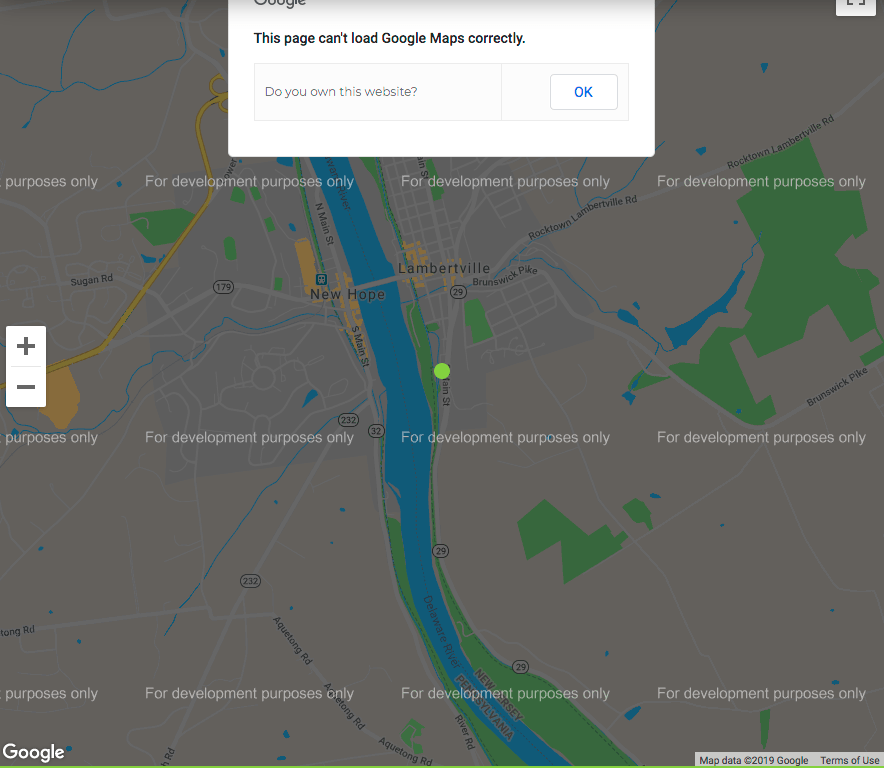
As of June 2018, Google maps using API keys changed from free to a pay-as-you-go billing system. Meaning, if you want to keep utilizing their interactive maps on your website, you’ll need to provide them your credit card information in your Google account.
The free tier that Google offers allows up to 28,000 map loads per month for these dynamic maps and Google offers a $200 (Google) credit to your account. If you’re getting over 28k loads, Google has a detailed pricing plan that they offer here.
So, who is this affecting? Well, almost EVERYONE! There are over 4.5 million websites that use Google Maps*. Tons of eCommerce sites are the first to be affected since most use the Geolocaton tool from Google.
There is a way to use a basic Google map for free but there is no customization and it only allows for a single pin point. You can embed the Google map and share a business, address or directional search. If this makes your head explode, try some of the Google map alternatives like MapBox or Open Street Map.
The price for dumping Google Maps goes up a little when you factor in SEO. Having a google map linked from your Google My Business page is what’s best for your SEO. With that being said, whether you decide to stay with Google or kick them to the curb, our advice is to keep a map on your website.
It helps your customers, it’s user-friendly, and it’s good business.
When hiring an agency to manage your Google Ads account, it often makes sense to share access to them rather than hand out google account credentials. But what happens when you decide it is time to move on or are no longer working with them? Changing your password is a nice place to start, but many times clients forget that they are sharing access through Google Ads itself. While it may be unlikely an agency will make any edits or changes once you are no longer under contract, it still makes sense to remove them for security purposes. While it is easy to terminate access to users from the client account, agencies are unable to remove former clients from being shared into their own accounts, which can be quite annoying, since you can only have a maximum of 5 accounts shared into it at a time.
How To Remove User Access To Adwords
1. Once logged into your google adwords account, click the gear icon on the top right and select account settings.
2. Click Account Access on the left
3. Find the agency and click “terminate access”
The agency no longer can access your adwords account, and you can better manage user access going forward.
Using a social media management platform such as hootsuite or buffer is a great way to create and schedule your company’s posts throughout your favorite social profiles. Scheduling your posts allow you to organize and share your content at optimal times in order to keep a consistent social media presence. By using a social media assistant you can save time and make sure that the posts will look the way you want through their handy preview tools. Note: Make sure your CRM & social manager have the right time zones set!
So what if you want to schedule posts that have not yet been published to your blog yet? WordPress has a handy tool for scheduling posts for future times, but if you try to enter that URL into your social media tool you will end up posting something similar to this:
Even if you correctly filled out the social tags, because the link was not live when scheduled through the social manager, Facebook either can’t access the social tags or will pull the preview info from the 404 page instead. Yikes!
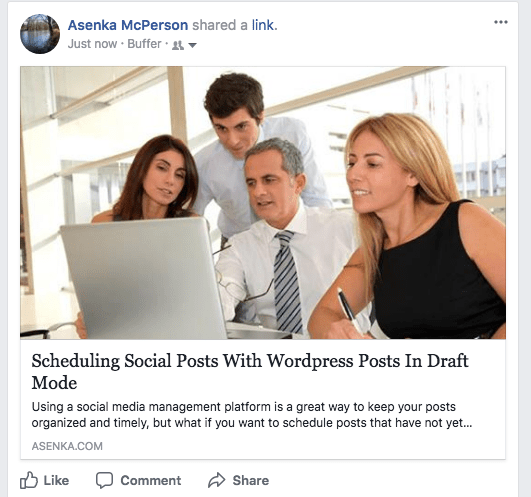
Luckily, there is a way around this using buffer. By styling and scheduling your post in buffer you will be able to control the way the post looks even before the blog post goes live. Make sure to use a catchy title and description and be mindful of the different facebook thumbnail sizes.
And the final result!
Now doesn’t that look better? With the buffer tool, you avoid any headaches with facebook caching or displaying an odd preview once the post gets published. Now you can synchonize all your scheduled WordPress posts with your scheduled social posts. This can help streamline your marketing within your organization, no matter the size or how many people are involved. Hopefully this guide will help you schedule future posts and avoid any social embarrassments!