You may have heard the buzz – Google is rolling out a new analytics package (version 4) and the existing analytics is being retired. This means that some changes will need to be made if you wish to continue collecting data from your site in your Google Analytics account. Analytic data is very important to us so we’ve been rolling out and testing the new “GA4” all year and getting more comfortable with it every day.
The new package is fundamentally different than the past version and much of the familiar interface has changed. New terminology, reports and features can make 1:1 comparisons tough, but at the end of the day it still tracks the important things and offers some exciting opportunities for more robust custom reporting.
The amount of change required depends on several factors, the most significant of which is the age of your current tracking code. If you are actively tracking custom events or conversions, those will have to be re-thought out as well.
There are some good tutorials out there, however we can assist with transitions if code is not your thing. We can also take the opportunity to create some custom events to track activities on the site you really care about. If analytics are important to you, we can build dashboards to keep track of the areas you are spending on to promote.
The most important part of this message is IF you’re transitioning from the old to the new Google Analytics 4, it needs to be done by the end of June this year. We just wanted to make sure that you are aware and we are here to help if you need us.
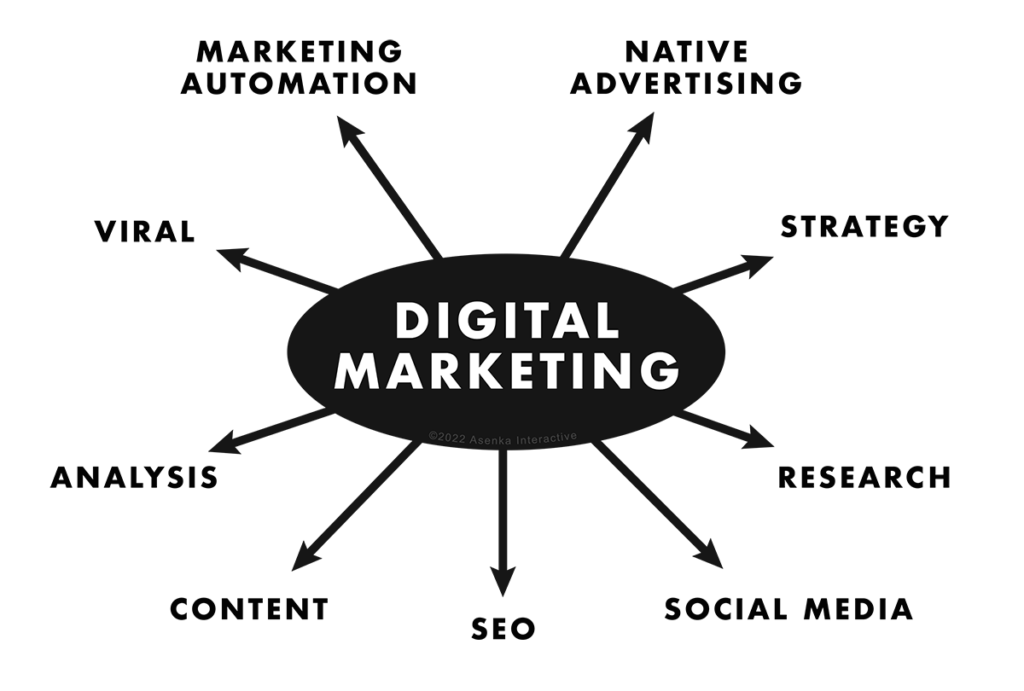
A graph showing various elements pertaining to Digital Marketing: Market Automation, Native Advertising, Strategy, Research, Social Media, SEO, Content, Analysis, and Virality
Spring-forward with some marketing success solutions for 2021
Some helpful tips to help your website not just gain attraction, but keep it.
In 2021, let there be no mistake: Google’s search algorithm is getting smarter. With every year, comes a new way for Google to figure out what websites are deemed to be on the prestigious first page. With the digital eco-system ever evolving, here are 7 tips for your Spring of 2021 to consider to make sure you are ahead of the curve and creating the best marketing strategy for your website and brand.
Strategy:
Doing research into your own industry and your competition will always give you the upper-hand. What is the competition looking like? Why are people engaged in a specific product and compare why your product is better. Marketing just isn’t about clicks, but it’s about understanding where your prospective customers are online and how to get their eye on your website. Once you have that idea in mind, it’s time for you to look at other questions, such as “Is our branding resonating?” “Would the demographic that wants my product engage on my website?” These are are all valid questions and all things that can be fixed. The more research you put in, the more resonating you have to effectively market your brand.
Keyword Research:
Now you know your niche, but the real question may be, how are people searching for what you have to offer? Some people may be searching for resources near them. Others may not be sure of what exact product they’re looking for, but are trying to find out what product is reviewed as the best. Others might be asking a “why” or “how” question in your industry. All of these search results, can benefit you by creating proper keywords for your website. Understanding this, specifically, is a make or break for most branding campaigns. These specific keywords will give you a way to differentiate your brand/organization from the competition. If you want to take a test-drive and see how this plays a huge role in efforts to attract prospective consumers & clients, feel free to try Neil Patels, Ubersuggest. It’s a great first step to understanding the importance of key-search.
Better Content, Better Rankings:
Your company has a solution. A customer is looking for an answer. If you are putting out content that provides practical value to prospective customers, you are doing three things in this very moment: You are engaging someone who may be a future customer, you are giving them free information that truly is helping them and you are giving google a chance to see how long that person stays on your site. The more creative and practical the content the more engaging (images, videos, blog posts with SEO in mind), the less bounce rate your website will have. This tells Google that your website has no business being on page 8. If writing isn’t your thing, you can always work with a professional copywriter.
Social Platforms:
Social media is the first thing people think of as a way to boost their signal and get their message and their brand across to others, as effective as possible. While platforms are definitely a cornerstone for digital marketing, if you are new, try one out one at a time. Think of each platform as a means to connect a client to your services, for a specific demographic. If you’re able to see which social media platforms work the best for you, remember to think of them as “parent platforms”. Yes, we’re talking the Facebook and Instagrams of the world. However if your clients are going somewhere else to find what you are looking for, don’t let that stop you. For instance, after you do research and find that most people are buzzing about your industry on LinkedIn, then by all means, get on there and start engaging. But as a word of caution, always try to explore different platforms independently to get a better grasp at which platforms are working for you and which ones are merely, confetti. If you find out that you’re not getting any views or likes on Pinterest, it may just be because your customers are for the most part, elsewhere. Research your industry on each platform and you’ll come out with a better understanding as to where your viewership lays.
User functionality & Speed:
A fast website sounds like a no-brainer, but let’s take a deeper dive. If a user searches and sees your website come up, reads the description in google and clicks on it, but spends more than 8 seconds waiting for your site to load properly, you’ve already lost that user. There could be several reasons. Maybe your site is beautiful on desktop, but you haven’t been making your website mobile-friendly, a priority. Maybe your on a slow server with large images o just need a re-design. This also includes readability, anywhere within your site. If a person can scroll around and find the content they are looking for quicker, and can read it without it looking noisy, you’ll be able to keep people on your website.
Our mentality is customer first, Google second:
Always create a website with you customers in mind first, but with Google as an onlooker. This means that you are creating content with the purpose of helping prospective customers as well as ranking well on search engines. Have you followed simple SEO rules? Does your site have strong backlinks? Are you relevant to the terms people are searching? Just use google search to see how you are doing. Pretend you are a great prospect and search what they would. See how you rank to get a good idea of your strengths and weaknesses in your digital landscape. Learn the best SEO practices and keep in mind that the fundamentals aren’t overtly changing, despite the massive push for digital in the last year.
Keeping these tips in mind will definitely strengthen your digital marketing efforts for 2021. If you need extra help on developing your site or traffic growth & measurement, please feel free to set up a free strategy call with us anytime.
We’re always excited to hear what you are planning or to help you plan it!
Data Privacy Day is January 28th and let’s be honest, this year has been an intense year for talks around privacy and security.
Everything from consumers finding out Facebook was (and still is) tracking their phones precise location to one of the highest years on record for security breaches, fraud, to the most active year in ransomware schemes and data dumps, we find ourselves in a balancing act of how to be transparent; in some respects, while still working hard on privacy & data procedures. Why should employers concern their company, brands, and domains to think about operational security? The simple answer is money.
Operational security (OPSEC), also known as procedural security, is a risk management process that encourages managers to view operations from the perspective of an adversary in order to protect sensitive information from falling into the wrong hands. Along with customer data, financial information, and business data, a hacker can wield this data, such as many cyber ransom attacks have just in the past years.
If you’re telling yourself, “I am just a small business. They wouldn’t go after me.” you may have to change the way you think about security in this expansive age of the digital era. The loss of any information from your company website can cost you, in time, reputation, and money.
That being said, January 28th is International Data Privacy Day: A day to raise awareness for the importance of privacy and data protection online. What better time to brush up on how to make sure that you and your team are ahead of the curve by taking simple, yet important steps.
Engage your clients and consumers with the idea of transparency:
Most consumer-trust level are low overall, but vary from industry. Being transparent on what data is necessary for your company to help a client thrive, and what isn’t, is a great way to build consumer trust. Customers also like to know what you are doing, and not doing, with the data you collect.
Company Awareness:
Companies that develop and execute a clear, cohesive strategy with employees about how they will deal with private internal processes, is important, not just for the client, but also for prospective ones. The handling of a clients data and the efficacy of said data shows that you are putting them first, by valuing and storing their data through a secure means. Raising awareness about the security protocols is one side of the coin. Always remember: The more likely you are to enforce the protocols, the less likely you will be at risk.
Identify possible threats:
For any information that you deem to be sensitive, identify what possible threats could be possible. That means treating outside threats, such as exploits, the same as insider threats. (We know you trust your team. You’ve hired them, but remind yourself: cost, reputation, time. If a disgruntled employee shares company data or isn’t being mindful and implementing correct practices set in place by traveling to their favorite free-wifi coffee place in order to get some remote work done, (You can see how this can become a problem.) an insider could be lax with their passwords, storing them over unsecured network locations, guaranteeing attackers to have a go at them.
Seek appraisals on the risks associated with each vulnerability or exploit:
The likelihood of the attack happening, the possible damage that could be expected, and the amount of work and time one would need to recover, are all aspects to be evaluated.
Educate & Update:
Educate your clients as well as your team on possible new threats regarding phishing, ransomware, web exploits, and app updates.
While cybersecurity is a vast ocean with many elements to concern yourself with, here at Asenka, we are laser focused on WordPress website security. We realize this is only a small part of your overarching plan, it’s still an important area to have locked down. We have two levels of services to help you secure your WordPress sites, one which focuses on locking the site down from common attacks (called “hardening”) and the other with focuses on ongoing monitoring and security. We can walk you through what both of those look like and see what best fits your needs, if interested. Please contact us with any questions or concerns you might have.
Ever see a WordPress blog post that includes the user’s profile pic with their name? If you would like to set up one for your account, it is easy to do with Gravatar through WordPress.com. Note, the email address you use for Gravatar will have to be the same email address assigned to your wordpress account for this to work, and the profile pic will appear on comments or posts on other sites that use Gravatar when logged in to your account.
Step 1. Log in to the backend of your wordpress site, navigate to Users, and find your account.
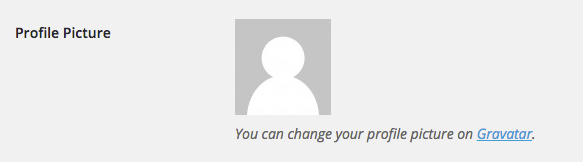
Step 2. Under the profile pic, select the Gravatar link
Step 3. Select Create Your Own Gravatar button
Step 4. Create an account with your wordpress user account email
Step 5. Activate your account through the confirmation email
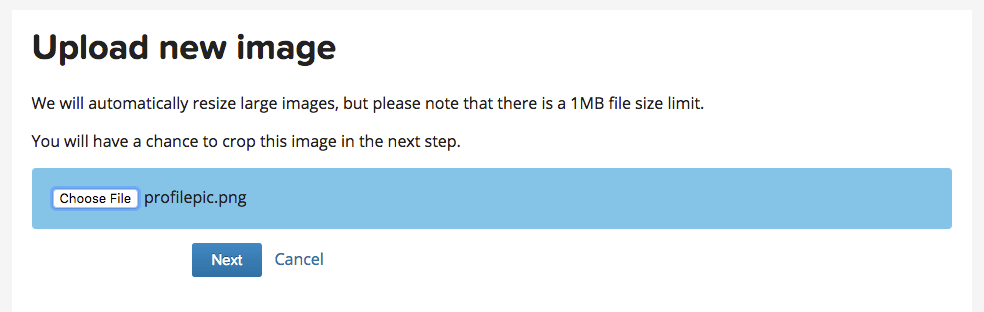
Step 6. Log in and select add a new image under the correct email address
Step 7. Find the picture you want to use as your profile pic, and crop to your liking.
Step 8. That’s it! Refresh your browser and log back in to your website dashboard, and you should now see your profile pic in your user profile.
Fill out the form below to download your Brand Profile PDF